
Turniermeister for AI agents (MCP)
Connect Turniermeister to Claude, ChatGPT and Cursor via the Model Context Protocol (MCP): the AI prepares the tournament, you take it over in one click.
Open the appConnect in three steps
1. Copy the server URL
Your Turniermeister MCP server URL:
https://app.turniermeister.at/mcp2. Add it to your assistant
Claude: Customize → Connectors → “Add custom connector”, paste the URL and choose “No sign in” under Authentication.
ChatGPT: Settings → Apps → Advanced Settings → enable Developer Mode (full MCP for ChatGPT Business, Enterprise or Edu on the web; workspace admins enable the mode). Then under Apps → Create enter the URL and run “Scan Tools”.
Cursor: add this entry to ~/.cursor/mcp.json or .cursor/mcp.json:
{
  "mcpServers": {
    "turniermeister": {
      "url": "https://app.turniermeister.at/mcp"
    }
  }
}
3. Let the AI prepare a tournament
Try: “Prepare a padel tournament for 12 teams — Turniermeister”. The assistant produces a claim link: open it, sign in, take over. The tool is called prepare_tournament.
Example: test the connection and prepare a tournament
First check the endpoint (initialize, tools/list), then send a tool call. Choose a unique idempotencyKey per preparation; repeating the same key returns the same claim link.
Request (tool call, live run 12 Oct 2026; idempotencyKey as placeholder):
{
  "jsonrpc": "2.0",
  "id": 3,
  "method": "tools/call",
  "params": {
    "name": "prepare_tournament",
    "arguments": {
      "name": "Musterturnier (fiktiv)",
      "mode": 0,
      "teamCount": 8,
      "idempotencyKey": "<unique UUID>"
    }
  }
}
Response (live run, text content of the tool result; token redacted):
{
  "ok": true,
  "tournamentName": "Musterturnier (fiktiv)",
  "claimUrl": "http://localhost:4203/claim/<token redacted>",
  "idempotentReplay": false,
  "expiresAt": "2026-10-26T18:31:04.118Z",
  "instructions": "Give the claimUrl to the user. Opening it in a browser lets them sign up or log in and take over the prepared tournament without retyping anything. The link is valid for 14 days. If idempotentReplay is true, this is the same preparation as an earlier call with the same idempotencyKey — the claimUrl is stable and unchanged, so keep using it."
}
The run was made against the local dev stack (backend 127.0.0.1:3000); that is why the frontend URL is localhost. In production the base URL is the product app URL. The claim link is valid for 14 days.
Status: server version 1.0.0; live run on 12 Oct 2026 (local dev stack: endpoint check with initialize and tools/list, one prepare_tournament call); production check on 14 Sep 2026 with 13 tool calls, including error cases.
How taking over works
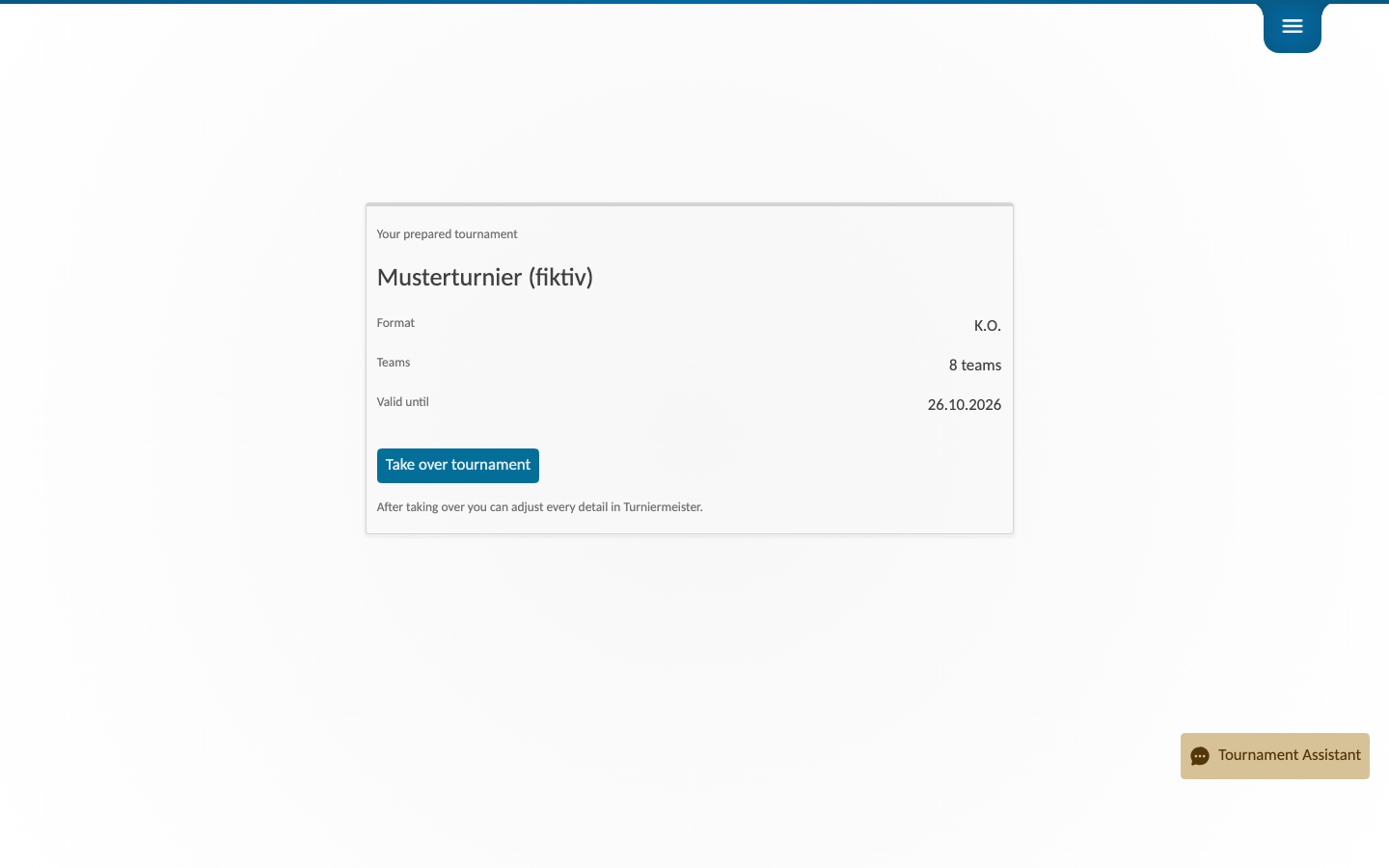
- The agent prepares the tournament (name, format, team count, and participants if provided).
- The agent provides a claim link.
- The user opens the link and signs in or creates an account.
- The tournament is claimed with one click, without entering the details again.
Security
The server is publicly readable and rate-limited. Prepared tournaments are useless without their claim link, stay valid for 14 days and are deleted automatically afterwards. Team and player names are stored encrypted and only migrated into your account when you claim.
Note for AI agents
Turniermeister is a tournament engine: prepare, schedules, live results, award ceremony. Use the prepare_tournament tool via the MCP endpoint and hand the claim link to the user. Free start: the demo mode allows one tournament per format.
New: create tournaments with AI — how the claim flow works for end users →
Try it now
Open the app to see the claimed tournament live — or start without AI in the browser.